Case Management Systems
Transform Your Service Delivery with Comprehensive Case Tracking
Case management systems enable your organization to track and manage cases longitudinally - building complete histories that help your team make better decisions, improve service quality, and achieve better outcomes.
Why Case Management Matters
Traditional data collection for evaluations capture a statistical snapshot at a particular point in time. However case management works with individual records over time, giving you operational insight. This enables you to:
- Improve Service Quality: Access complete case history to make informed decisions based on past interactions and outcomes
- Increase Efficiency: Reduce duplicate data entry and streamline workflows with automatic data retrieval
- Enable Real-Time Coordination: Multiple team members can access and update case information simultaneously, with automatic synchronization
- Track Progress Over Time: Monitor case status, outcomes, and trends to measure program effectiveness
- Scale Your Impact: Manage thousands of cases efficiently with mobile-first solutions that work in the field
What Can Be Managed as a Case?
Case management is flexible and can be applied to any subject you're tracking over time. Common applications include:
- Medical Patients: Track patient visits, treatments, medications, and outcomes over time
- Accountability & Feedback: Manage complaints, feedback, and follow-up actions through resolution
- Environmental Programs: Monitor repair sites, restoration projects, or conservation areas
- Agriculture: Track plots, crops, and farming interventions across seasons
- Social Services: Manage client cases, interventions, and outcomes
- Education: Track student progress, attendance, and program participation
How Case Management Works
Case management in Smap uses longitudinal data - information that builds over time as you collect data about the same subject (case). Case management can be added to any form. The subject of the case can be anything on which you are collecting data - agriculture plots, environmental repairs, medical patients, etc.
Accessing Case Data
Your forms can automatically pull case data from previous interactions, eliminating the need to re-enter information. You can include single items (like a patient's address) or multiple records (like all previous visits). This means your team always has the complete context when working with a case.
Simple Case Data - Single Items
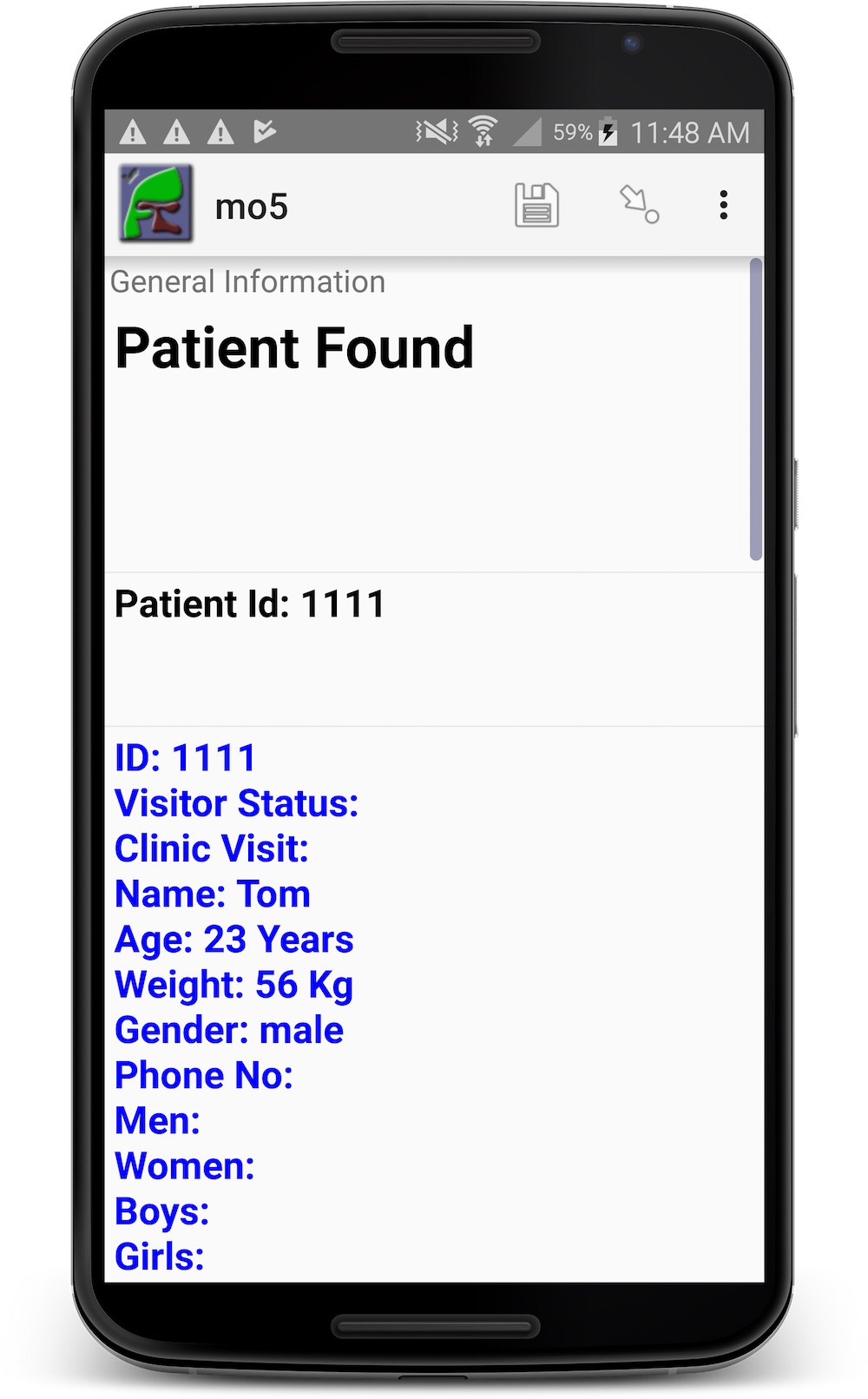
Display a single piece of information from a previous interaction. For example, when you scan a patient's barcode, their name and address automatically appear, saving time and reducing errors.
Repeated Case Data - Multiple Records
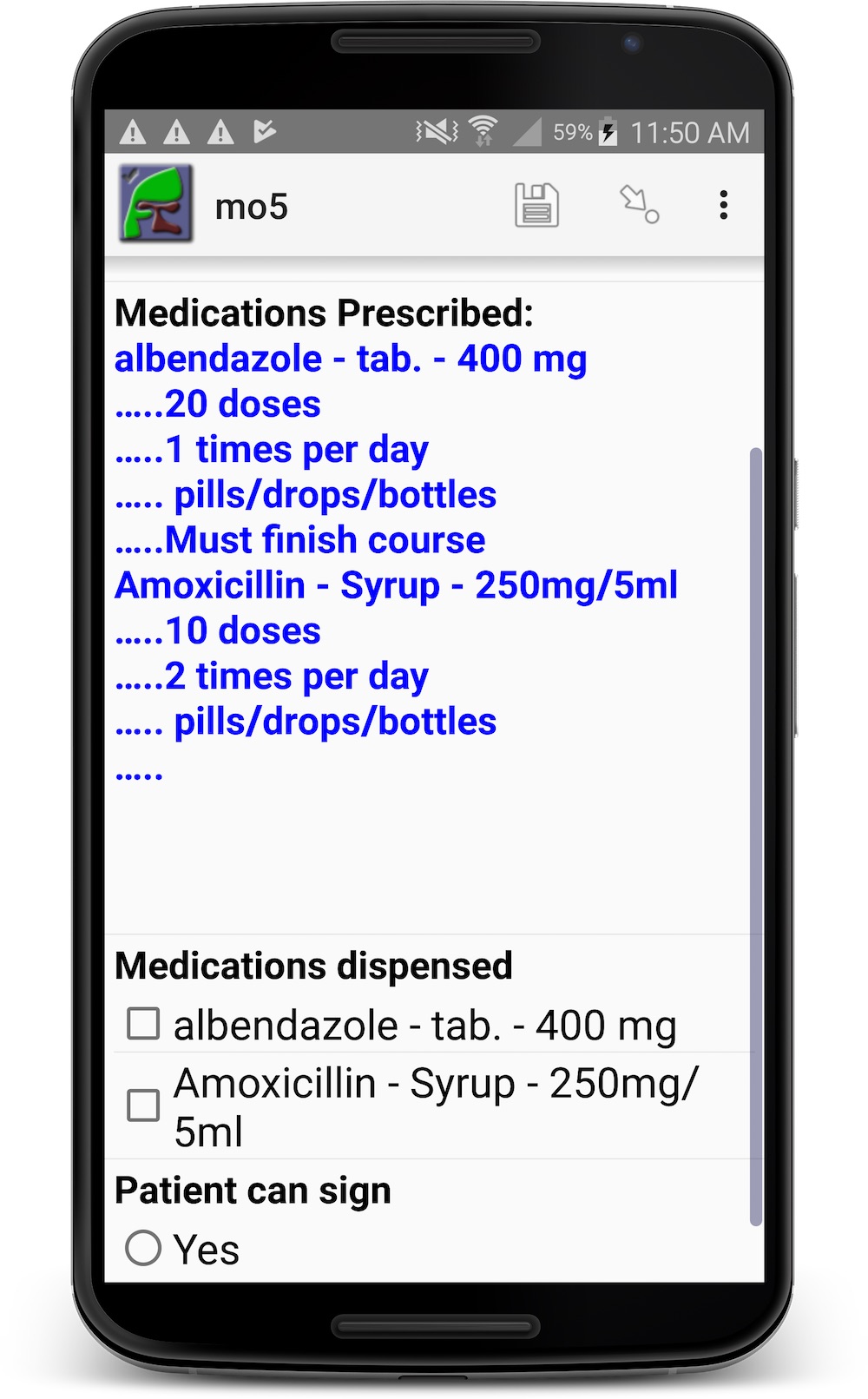
Show multiple related records from previous interactions. For example, view all medications prescribed on previous visits, or see the complete history of interventions for a case. This gives you the full picture at a glance.
Automatic Data Updates
When you update case information, those updates automatically become available to your entire team. For example, if you update a patient's address, all team members will see the new address on their next interaction. New interactions (like new visits) are automatically added to the case history, building a complete longitudinal record.
Real-Time Synchronization
When any team member updates case data, all other devices automatically receive the updates. This ensures your entire team always has access to the latest information, enabling better coordination and preventing duplicate work. See it in action.
Easy Form Creation
You can create case management forms using familiar tools like Excel, then configure advanced settings in our online editor. We'll guide you through the process to ensure your forms work exactly as you need them.
Example: Medical Clinics Case Management
One of our most successful case management implementations is for medical clinics. The system allows healthcare workers to:
- View complete patient history when seeing a patient
- See all previous visits, diagnoses, and treatments
- Track medications prescribed across visits
- Update patient information that automatically syncs to all devices
The screenshots below show how case data appears while completing a form: